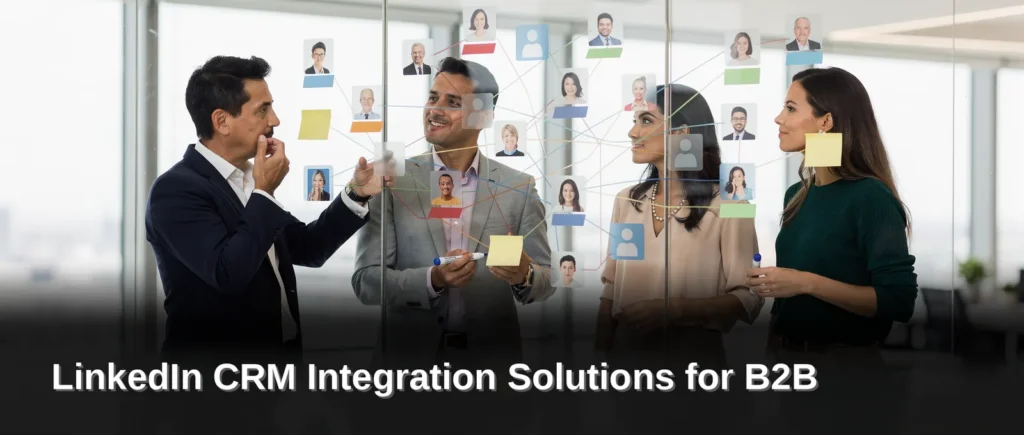
LinkedIn CRM integration solutions for Efficient B2B Outreach automate lead capture and synchronize prospect data directly from Sales Navigator into a central system. LinkedIn drives 89% of all B2B leads, making a dedicated integration essential for agency owners and revenue leaders managing high-volume pipelines. Linkautomy’s platform enables teams to eliminate manual data entry and focus on closing deals.
Why integrate CRM with LinkedIn outreach?
LinkedIn drives 89% of all B2B leads, according to data from folk. That volume of prospect activity overwhelms manual tracking within days. Agency owners and revenue leaders who skip integration lose visibility into which conversations convert and which stall indefinitely.
A LinkedIn CRM Integration Solutions approach connects outreach activity directly to the deal pipeline. B2B companies integrate LinkedIn outreach with their CRM systems to streamline lead management and automate data synchronization. Every connection request, message reply, and profile view flows into a single record without copy-paste work. The result is a complete picture of prospect interactions that improves sales efficiency and conversion rates.
What happens when LinkedIn data stays disconnected from the CRM?
Sales teams carry the cost as unrecovered follow-up time. Duplicate outreach becomes common. A prospect who replied on LinkedIn gets a cold email the next day because no system flagged the existing conversation. Context evaporates between touchpoints. Revenue leaders lose the ability to attribute pipeline to specific campaigns or sequences.
Integration eliminates these gaps. It gives B2B sales teams a complete timeline of every interaction. Managers see which messages drive replies and which templates underperform. The data feeds directly into reporting dashboards rather than living in a disconnected social platform.
How does CRM integration improve conversion rates?
Speed and context drive conversions. When a prospect responds, the CRM triggers an immediate alert with full interaction history attached. No searching through LinkedIn inboxes. No guessing what was discussed last week. The sales professional picks up the conversation with perfect continuity.
Automation handles the repetitive work. Data synchronization means new connections populate the CRM instantly. Lead status updates happen without manual entry. Teams spend time selling instead of administrating. The complete picture of prospect interactions translates directly into faster deal cycles and higher close rates.

What problems does CRM integration solve?
Sales teams lose revenue to operational chaos. Missed follow-ups, disorganized prospect tracking, and duplicate outreach quietly erode pipeline quality across Efficient B2B Outreach campaigns. LinkedIn CRM Integration Solutions eliminate these failure points by centralizing every prospect interaction in one system.
The cost of manual tracking compounds quickly. A lead contacted twice by two different reps damages credibility. A follow-up that never happens wastes the initial connection effort. These losses remain invisible until a centralized system exposes them.
What happens when LinkedIn outreach data stays scattered?
Scattered outreach data across spreadsheets and disconnected CRMs creates blind spots. Sales leaders cannot see which prospects received messages, who responded, or where conversations stalled. Chaotic LinkedIn inbox management buries warm replies under cold outreach noise. The result is slower response times and lost opportunities that never appear in any report.
Why does inconsistent outreach hurt conversion rates?
Inconsistent outreach efforts produce unpredictable results. One prospect receives three touchpoints while another receives none. Without a centralized system, conversion rates drop because no single source of truth governs follow-up cadence. A unified CRM integration enforces consistent sequencing across every Efficient B2B Outreach campaign.
The fix is structural, not motivational. Centralized tracking prevents duplicate outreach before it happens. Automated data synchronization removes manual entry errors. A complete picture of prospect interactions turns scattered activity into measurable pipeline movement.

How does automation improve LinkedIn prospecting?
Automation transforms LinkedIn prospecting from a manual, time-intensive task into a scalable revenue engine. Sales teams that adopt automation eliminate repetitive data entry, reduce missed follow-ups, and maintain consistent outreach cadences without adding headcount.
LinkedIn CRM integration solutions sit at the center of this shift. Businesses now rely on LinkedIn outreach automation, CRM integrations, and sales automation workflows to manage high-volume prospecting campaigns efficiently. Without these systems, prospect data scatters across spreadsheets, inboxes, and disconnected tools. That fragmentation costs teams hours of manual reconciliation and leads that slip through the cracks.
The best LinkedIn outreach tools help sales teams automate LinkedIn messages, organize prospect data, and improve CRM sync workflows. They also scale outreach across multiple channels. For agency owners and revenue leaders running dozens of concurrent campaigns, this capability separates predictable pipeline growth from feast-or-famine cycles.
Linkautomy automates personalized outreach at scale. The platform handles message sequencing, follow-up timing, and prospect list management so sales professionals spend less time on administrative work and more time closing deals. Personalization does not disappear with automation. The technology preserves individual messaging details while removing the manual labor of sending each connection request and follow-up note by hand.
What manual prospecting tasks does automation eliminate?
Automation removes three categories of repetitive work. First, it handles message sending and follow-up sequencing across hundreds of prospects simultaneously. Second, it syncs prospect data directly into CRM records, eliminating copy-paste workflows. Third, it tracks response rates and engagement signals without requiring manual spreadsheet updates.
How does CRM integration strengthen automated outreach?
CRM integration creates a single source of truth for every prospect interaction. When LinkedIn activity flows automatically into the CRM, sales teams see complete conversation histories without switching between platforms. This unified view prevents duplicate outreach and ensures no follow-up gets missed across team members managing shared accounts.

Which CRMs integrate best with LinkedIn?
The top three CRMs for LinkedIn integration are folk CRM, HubSpot, and Salesforce. Each platform serves a distinct team profile, from mid-size LinkedIn-first operations to marketing-led organizations and complex enterprise sales environments.
Agency owners and revenue leaders lose pipeline visibility when LinkedIn conversations stay trapped inside the platform. Without a connected CRM, follow-ups slip through the cracks and prospect data scatters across spreadsheets. The right LinkedIn CRM Integration Solutions prevent this fragmentation by syncing every connection request, message thread, and reply directly into a centralized deal flow.
What CRM works best for LinkedIn-first teams?
folk CRM delivers the strongest experience for teams that treat LinkedIn as their primary prospecting channel. The platform offers 1-click capture from LinkedIn profiles and shared multichannel follow-up sequences. This design eliminates manual data entry and keeps outreach consistent across the team. For mid-size agencies running high-volume LinkedIn campaigns, folk CRM turns profile views into tracked pipeline without adding administrative overhead.
How do HubSpot and Salesforce compare for LinkedIn integration?
HubSpot suits marketing-led teams that need LinkedIn data flowing into broader inbound campaigns. The integration connects LinkedIn conversations with email sequences, landing page activity, and lead scoring, giving marketing-driven organizations a unified contact record. Salesforce handles complex enterprise deals where multiple stakeholders interact with a single account over months. Its LinkedIn integration maps prospect activity to opportunity records, supporting the long sales cycles and layered approval chains common in enterprise B2B environments.
Beyond these three, LinkedFusion provides native CRM integration with Close CRM, Salesforce, Pipedrive, and HubSpot. This breadth allows teams already committed to a specific CRM to layer LinkedIn automation on top without switching systems. The native connection syncs LinkedIn outreach activity directly into existing deal pipelines, preserving the workflows revenue teams already trust.
What features should you prioritize in a CRM?
A CRM for LinkedIn outreach must centralize the pipeline, log every conversation, and keep prospecting organized. Without these capabilities, sales teams lose track of follow-ups and watch warm leads go cold. The right feature set turns scattered LinkedIn activity into a repeatable revenue engine.
LinkedIn CRM Integration Solutions demand four non-negotiable capabilities. First, one-click capture with Sales Navigator eliminates manual data entry. Second, multichannel sequences let teams follow up across email and LinkedIn without switching tools. Third, automation handles routine tasks like connection requests and message scheduling. Fourth, reporting surfaces what works so underperforming campaigns get cut fast.
How does team size affect CRM selection?
Team size dictates which CRM delivers the best fit. A 20 to 50-person team gains the most from a streamlined platform like folk, where simplicity keeps adoption high. Marketing-led organizations gravitate toward HubSpot for its inbound engine. Salesforce suits complex, multi-stakeholder deals that require deep customization.
Why does automation matter for LinkedIn outreach?
Automation prevents the biggest threat to outbound success: inconsistency. Manual prospecting creates gaps in follow-up timing and lets promising conversations stall. A CRM with built-in automation sequences every touchpoint, ensuring no lead slips through the cracks. The result is a pipeline that moves prospects forward without constant manual intervention.
Agency owners and revenue leaders in Efficient B2B Outreach environments need these features working together. One-click capture feeds the CRM instantly. Automation triggers the right sequence. Reporting flags what to double down on. Skip any piece and the system leaks opportunities that competitors will claim.
How do you sync LinkedIn data with your CRM?
LinkedIn CRM integration synchronizes professional network data and outreach activities directly into a Customer Relationship Management system. This automated connection consolidates prospect information into a single source of truth, eliminating the chaos of scattered spreadsheets and manual data entry. Agency owners and revenue leaders who skip this step lose visibility into which conversations actually drive pipeline.
The synchronization process transforms how B2B sales teams manage their prospecting workflows. Instead of toggling between LinkedIn and a CRM, teams see every connection request, message thread, and engagement signal flow automatically into their deal records. Linkautomy enables users to automate prospecting efforts and fill sales pipelines without adding administrative burden. The platform handles the data transfer so sales professionals focus on closing, not copying and pasting.
What data transfers during a LinkedIn CRM sync?
A proper integration captures the full context of every prospect interaction. Contact details, company information, job titles, and mutual connections populate CRM records automatically. Message history, InMail responses, and profile engagement metrics also transfer, giving revenue leaders a complete timeline of each relationship. This consolidated view means no follow-up gets missed and no lead falls through the cracks.
How does automation improve pipeline visibility?
Automation removes the blind spots that plague manual tracking. When LinkedIn activity syncs directly to deal records, sales managers see exactly which outreach sequences produce meetings and which stall. Linkautomy’s systematic approach connects decision-makers with service-based business owners while maintaining clean, updated CRM data. The result is a pipeline built on real engagement signals rather than guesswork.
The integration also prevents duplicate outreach and inconsistent follow-up, two problems that erode credibility with prospects. Every team member accesses the same interaction history, ensuring conversations stay coordinated across the organization. For B2B sales teams scaling their LinkedIn presence, this synchronization turns the platform into a measurable revenue channel rather than an unstructured networking tool.
What ROI can you expect from CRM integration?
LinkedIn CRM Integration Solutions deliver measurable returns by turning scattered profile views and messages into a structured revenue pipeline. B2B companies that connect LinkedIn outreach to their CRM streamline lead management and automate data synchronization. The result is a complete picture of every prospect interaction. Sales efficiency and conversion rates climb as a direct outcome.
Agency owners and revenue leaders see the fastest payback in three areas. First, manual data entry disappears. Second, no lead falls through the cracks. Third, follow-up sequences trigger automatically based on real buying signals.
How does CRM integration improve conversion rates?
Sales teams gain a complete timeline of every touchpoint. A prospect views a profile, receives a connection request, and replies to a message. Each action syncs instantly. This visibility lets teams prioritize warm leads over cold outreach. Conversion rates improve because timing and context replace guesswork.
What makes a LinkedIn-specific CRM different from a general CRM?
A general CRM stores contacts. A LinkedIn-specific CRM captures the signals that matter before a deal exists. Profile views, InMail replies, and content engagement all feed into one system. Winning lead generation depends on syncing every profile view, message, and buying signal into a system built for follow-up at scale. General CRMs miss these early-stage indicators. Specialized integration turns those conversations into revenue.
The financial impact compounds over time. Teams that integrate LinkedIn with their CRM reduce duplicate outreach and eliminate hours of manual logging each week. Pipeline velocity increases. Deals close faster because sales professionals act on real-time intent data rather than static lists. For B2B sales teams running high-volume prospecting campaigns, the ROI appears within the first quarter of consistent use.
How to choose the right integration solution?
Selecting the right LinkedIn CRM Integration Solutions requires evaluating five specific criteria. Agency owners and revenue leaders who skip this structured assessment risk deploying tools that fragment data instead of unifying it.
What features should a LinkedIn CRM integration include?
The feature set determines whether the integration accelerates pipeline velocity or creates administrative drag. Essential capabilities include automated data synchronization between LinkedIn and the CRM, one-click lead capture from profiles and Sales Navigator, and multichannel sequencing that coordinates LinkedIn messages with email follow-ups. Reporting dashboards that track outreach performance across both platforms provide the visibility revenue teams need to optimize campaigns.
How do cost and scalability affect the decision?
Price versus value for money separates tools that fit current budgets from those that support long-term growth. A solution priced for a five-person team often collapses under the data volume of a fifty-person agency. Scalability matters equally. The integration must handle expanding contact lists, additional user seats, and more complex automation rules without requiring a platform migration twelve months later.
Integration capability forms the final filter. The tool must connect natively with the CRM already in use, whether that is HubSpot, Salesforce, Pipedrive, or Close. A mismatch here forces manual data entry that erases the efficiency gains the integration promises.
Linkautomy provides a systematic approach for service-based business owners to connect with decision-makers. The platform focuses on LinkedIn outreach, ensuring messages reach the right audience at the right time. Customer reviews offer unfiltered insight into reliability and support quality. Agencies that examine feedback across multiple review sites spot patterns that polished demo calls conceal.
Conclusion
The decision to integrate LinkedIn with your CRM comes down to one question: will your team chase scattered leads or act on synchronized data? Every feature, cost consideration, and scalability check points to the same outcome, a pipeline built on real engagement signals, not manual guesswork. Evaluate your integration against the criteria outlined here, then deploy a solution that eliminates data entry and accelerates follow-up. Your next quarter of outreach depends on it.